
:pxtra helps you understand your employees' benefit preferences.
If you've left the Benefit Assistant activated for your employees' app, you can see at a glance in our platform's Dashboard tab what percentage of your employees are interested in which benefits.
This view also shows the actual benefit implementation rate. Desired benefits and actual implementation may differ slightly, for example, due to budget constraints or the employees' current life circumstances.
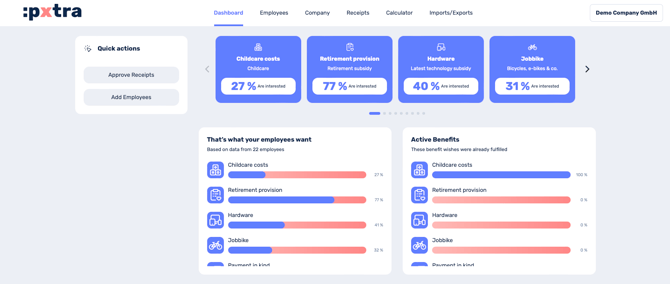
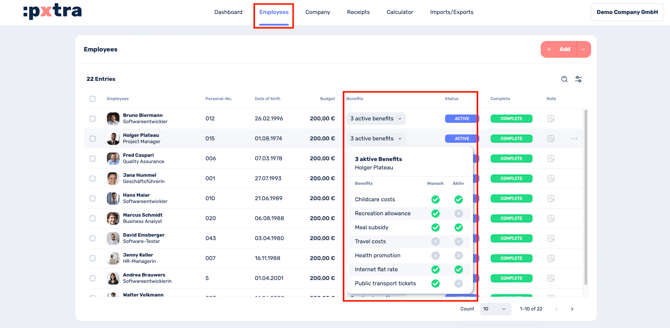
If you want to know which benefits individual employees would like, go to the Employees tab.
In the Benefits column, you can now see individually for each employee which benefits they would like and which are already active. This column displays all active benefits for the current month.
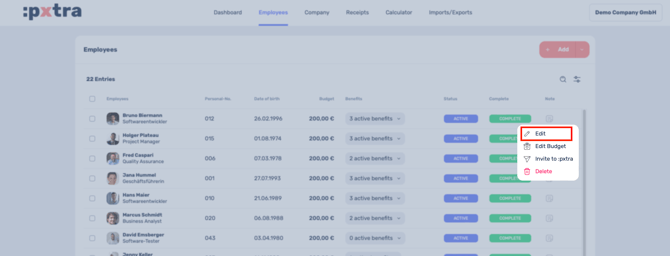
Alternatively:
Another option is to view the information via the employee profile. To do this, simply click on the three dots to the right of the employee's name and select "Edit," or simply click on the employee's name.
Then select Benefit from the menu bar on the left.
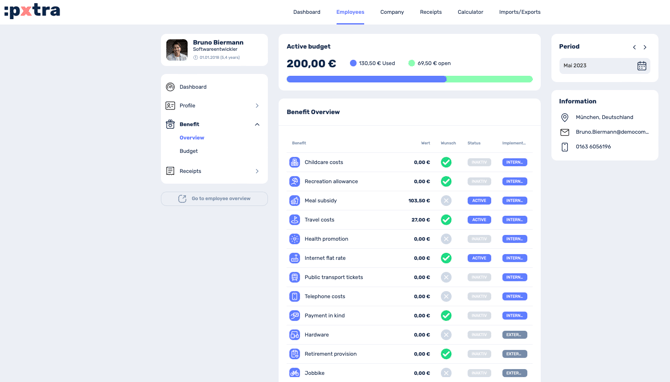
Your employee's wishes and the current status of each benefit are now clearly displayed.