
Congratulations, your Company Manager has provided you with a benefit budget.
Before enjoying your benefits, you have to plan the use of your budget. To do so, start the benefit planner by clicking the Button "Benefit planner" within the App. There you can see your available budget and the benefit modules that your company manager has initially approved for you.
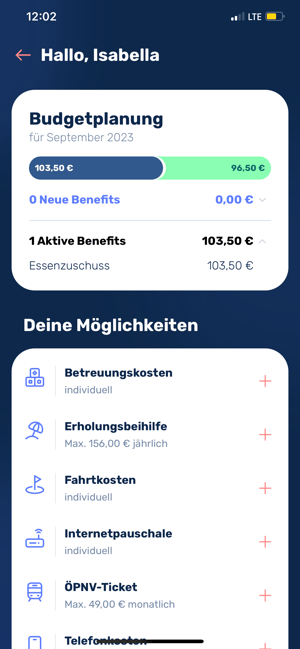
You can fill your budget by adding the benefits and pressing the "Submit" button.
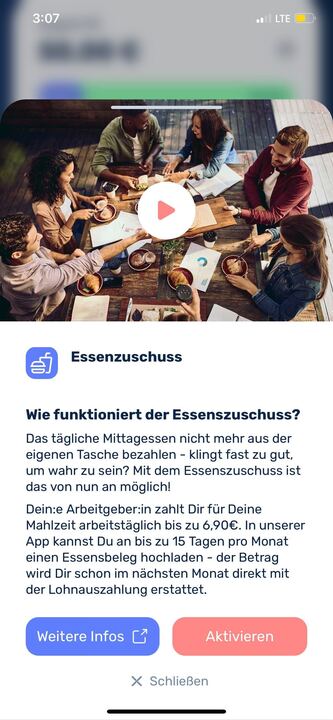
Note: A distinction is made between fixed benefit modules and flexible benefit modules. For fixed benefit modules, you need a sufficient open budget to add the benefit to the planner.
Fixed benefit modules are:
- Childcare costs
- Recreation allowance
- Meal subsidy
- Internet flat rate
- Travel costs
- Payment in kind
- Hardware
- Jobbike
- Retirement provision
Flexible benefit modules (budget filling based on actual costs submitted monthly):
- Public transport tickets
- Telephone costs
Important: After submitting the budget planning, the execution of the benefits can start. Additional benefit modules can be added at any time if the benefit budget is sufficient. If you wish to change or cancel benefit modules, please contact our Customer Support Team.