
Note: Benefits should be configured in conjunction with our Customer Support.
The Company Manager can configure the individual benefits package at the company level on the pxtra platform.
To do this, first select "Benefits" in the menu bar at the top, and then click on "Your Portfolio" in the left-hand menu.
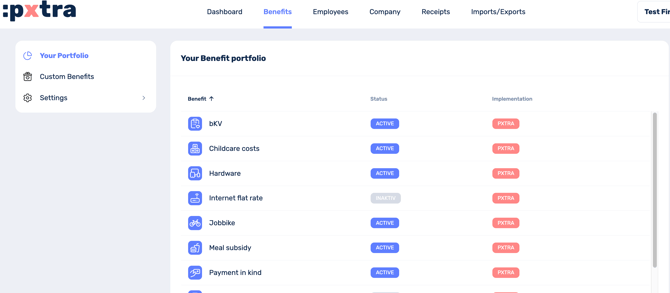
Here, you can click the pencil icon to the right of each benefit to set whether it is displayed to employees in the :pxtra app (active) or not (inactive).
Note: Even inactive benefits are included in the employee survey, as this is the only way to obtain a complete profile of your employees' needs.