
Without an assigned benefit package, invitations cannot be sent to employees. You will then receive a corresponding error message in the platform. Exception: For starter packages (= only 1 benefit is offered), assignment is not necessary.
There are two ways to do this:
1. Via the benefit package
Go to the Benefits tab on the platform and click on Benefit Packages in the menu bar on the left. Select the package you want to assign to employees and click on assign benefit set via the three dots on the right-hand side.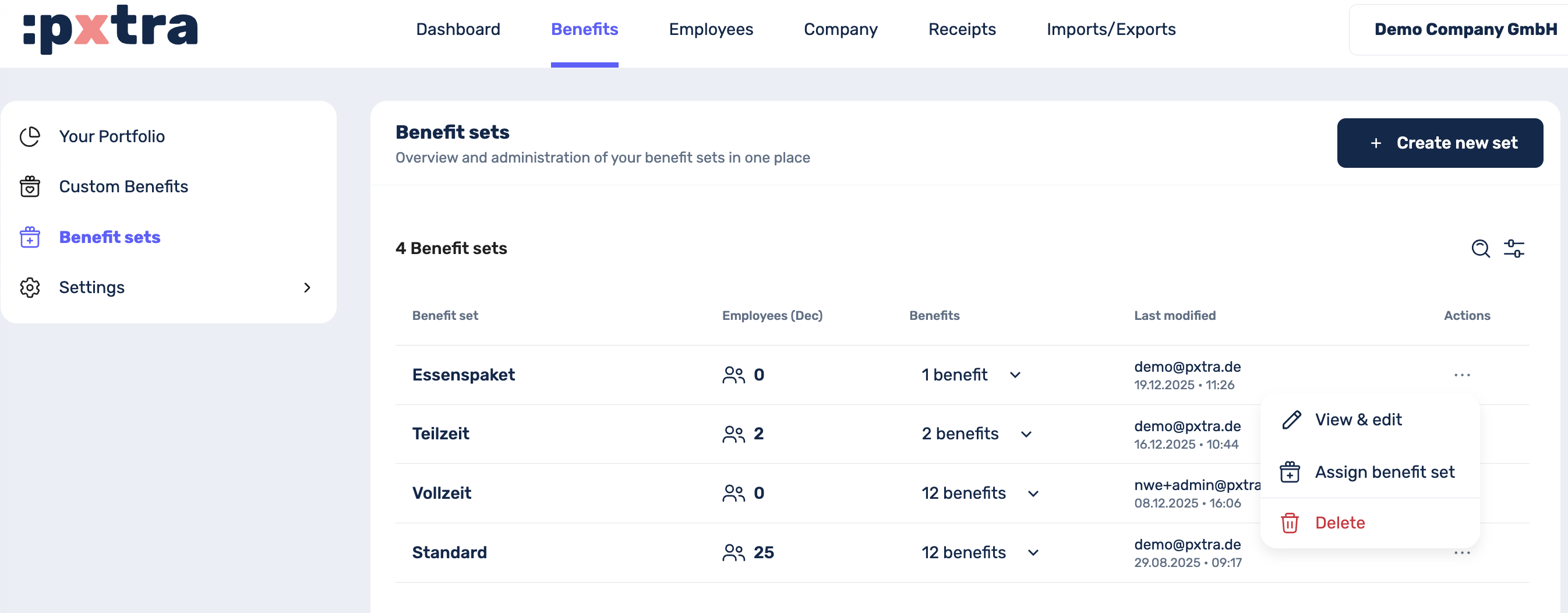
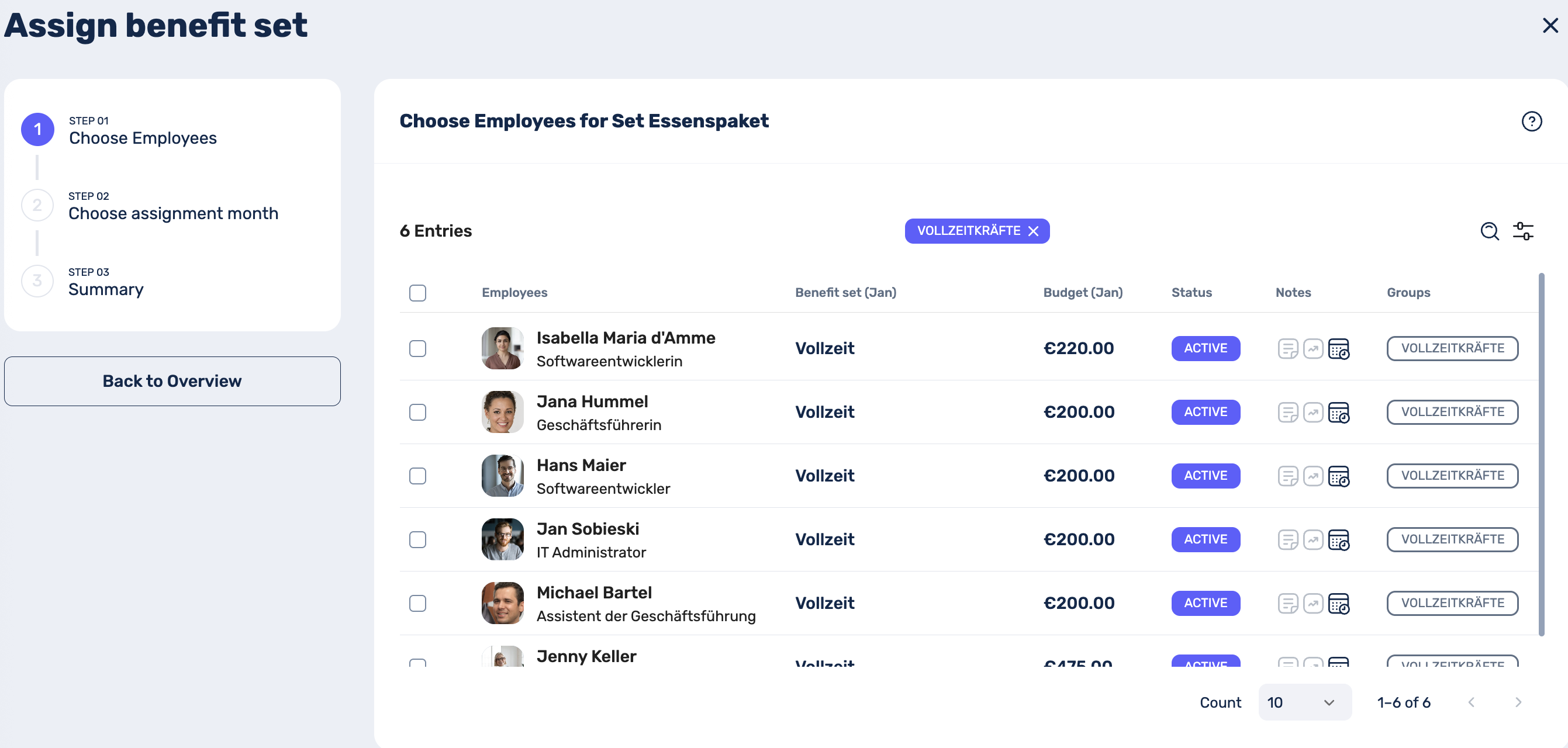
In the next step, you can now select the employees who are to be assigned to this package. Feel free to use the filter function in the top right-hand corner to display people with a specific criterion, e.g. all people in a specific group.
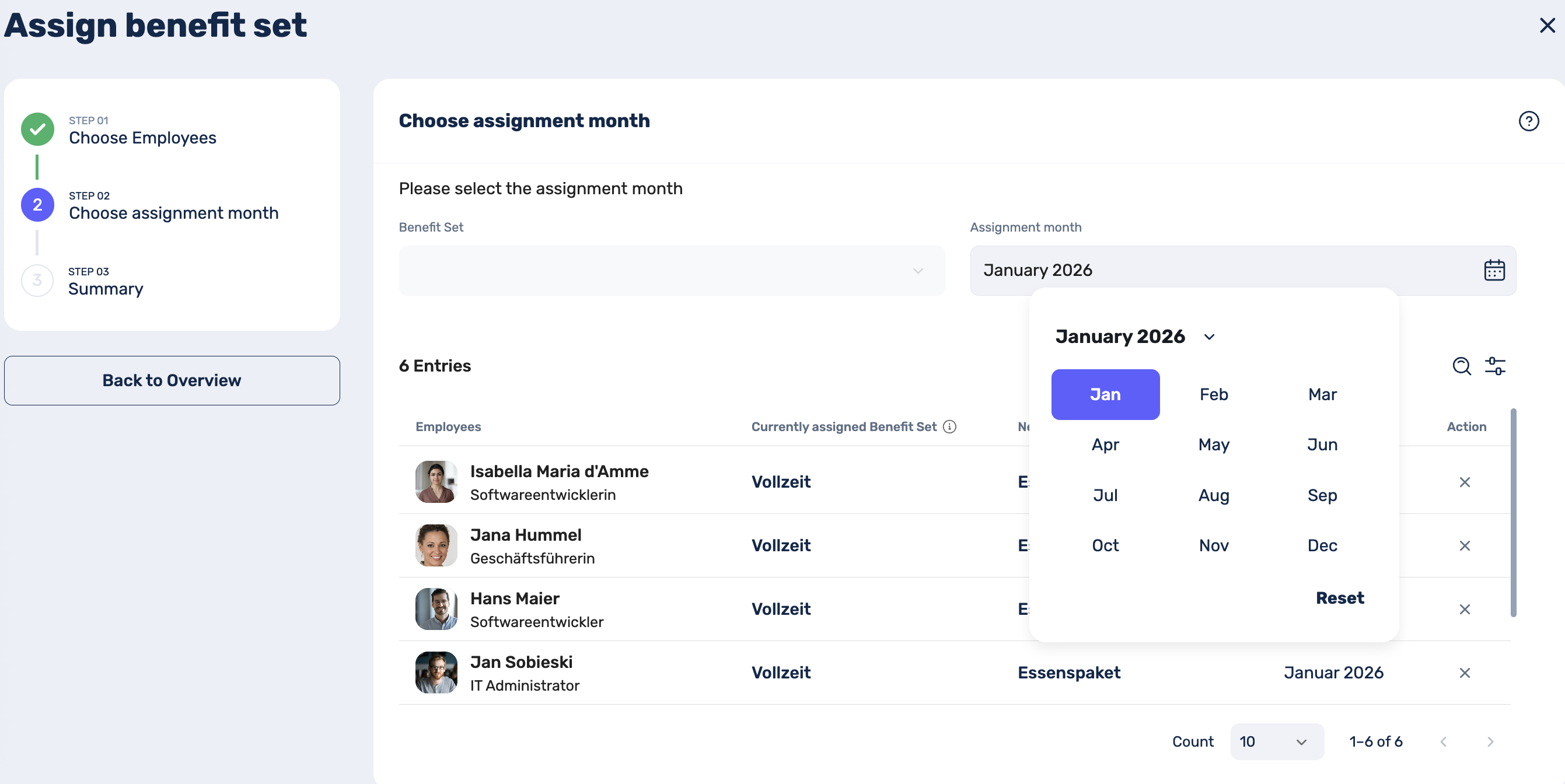
In the final step, you can now select when the package should be assigned. As with the activation of our benefits, this is always possible from the following month onwards:
2. Via the employee view
In the Employees tab, you can also assign employees to a benefits package.
Select the people who should be assigned to a package. Feel free to use the filter option in the top right-hand corner. Once you have selected the relevant employees, a menu bar will appear in the top right-hand corner with a gift icon. Click on this icon to select the relevant package and the month of assignment.
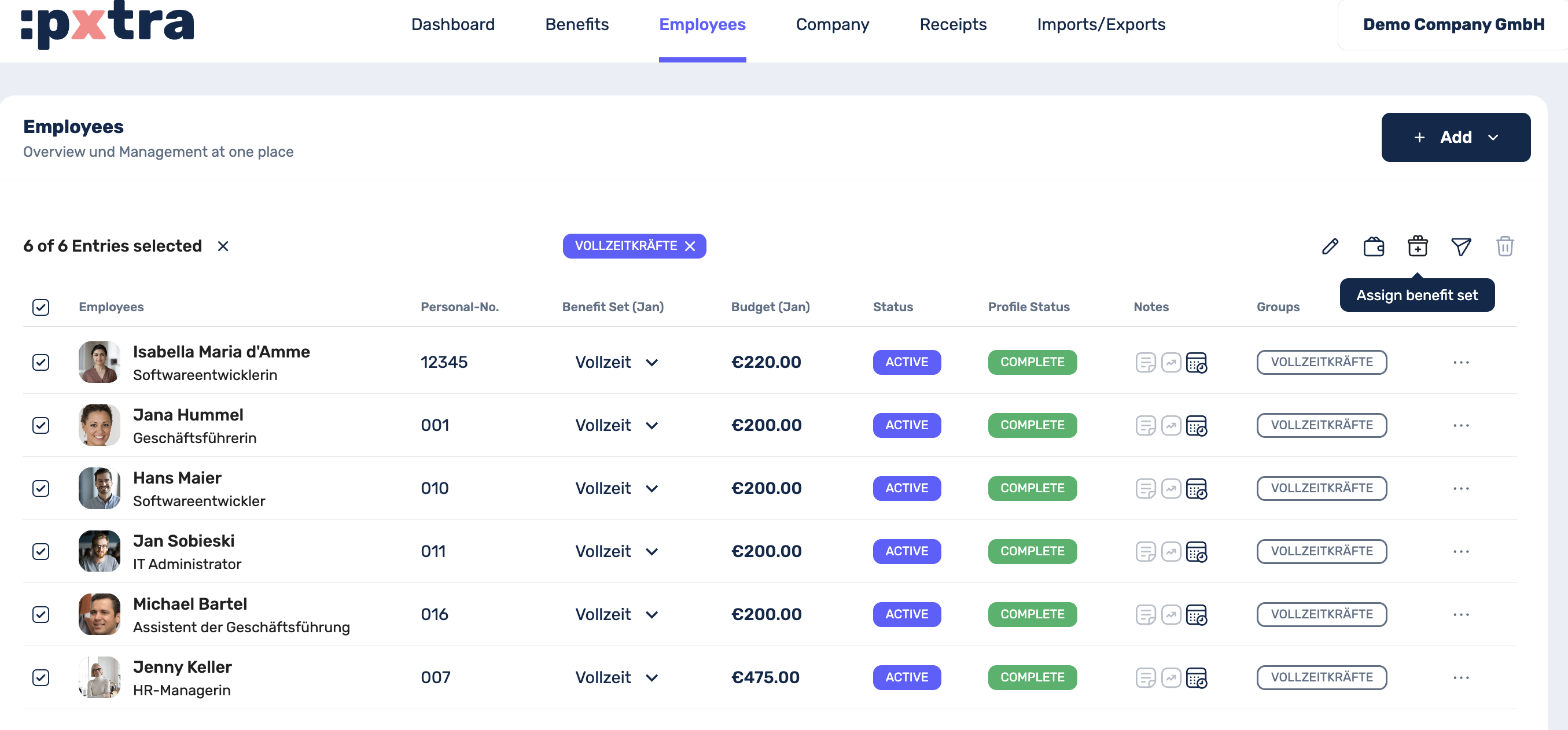
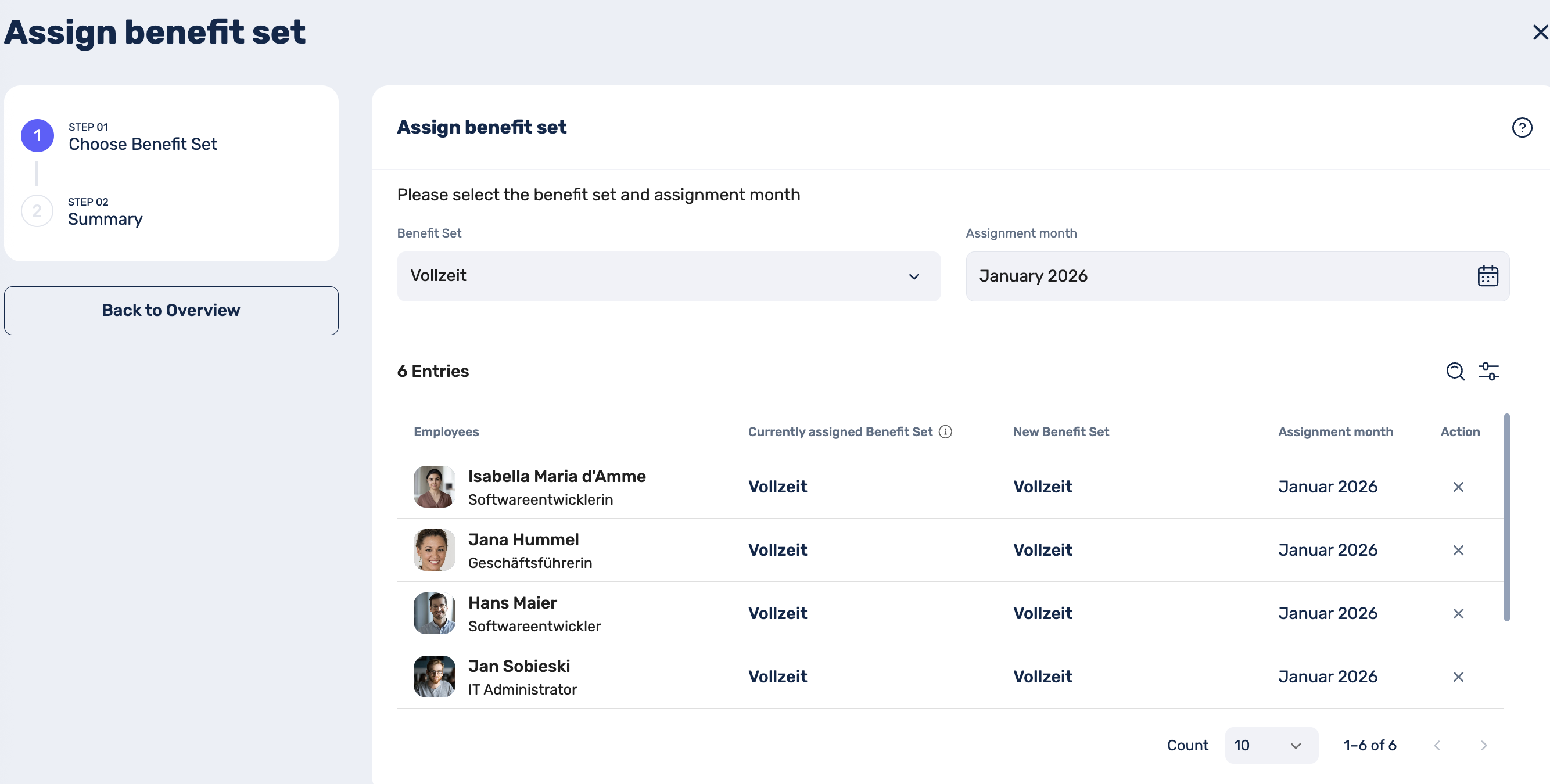
Finally, you just need to save your entries and then you can check your assignments in the Employees tab in the Benefit Package (*Next Month*) column.